How to create, publish and distribute great news stories, shared with your team, on the fly.
LettsNews is simple, yet powerful, newsroom tech for everyone. Below is a comprehensive guide to help you go from gathering great news, to team editing, publishing and distribution - faster than you thought possible.
What You Need
A LettsNews account (free signup at LettsNews.com )
A few Content Items to get going (text, images, videos, or audio)
Gather and publish news in the field, on the fly!
Creating Your Story: Step-by-Step Guide
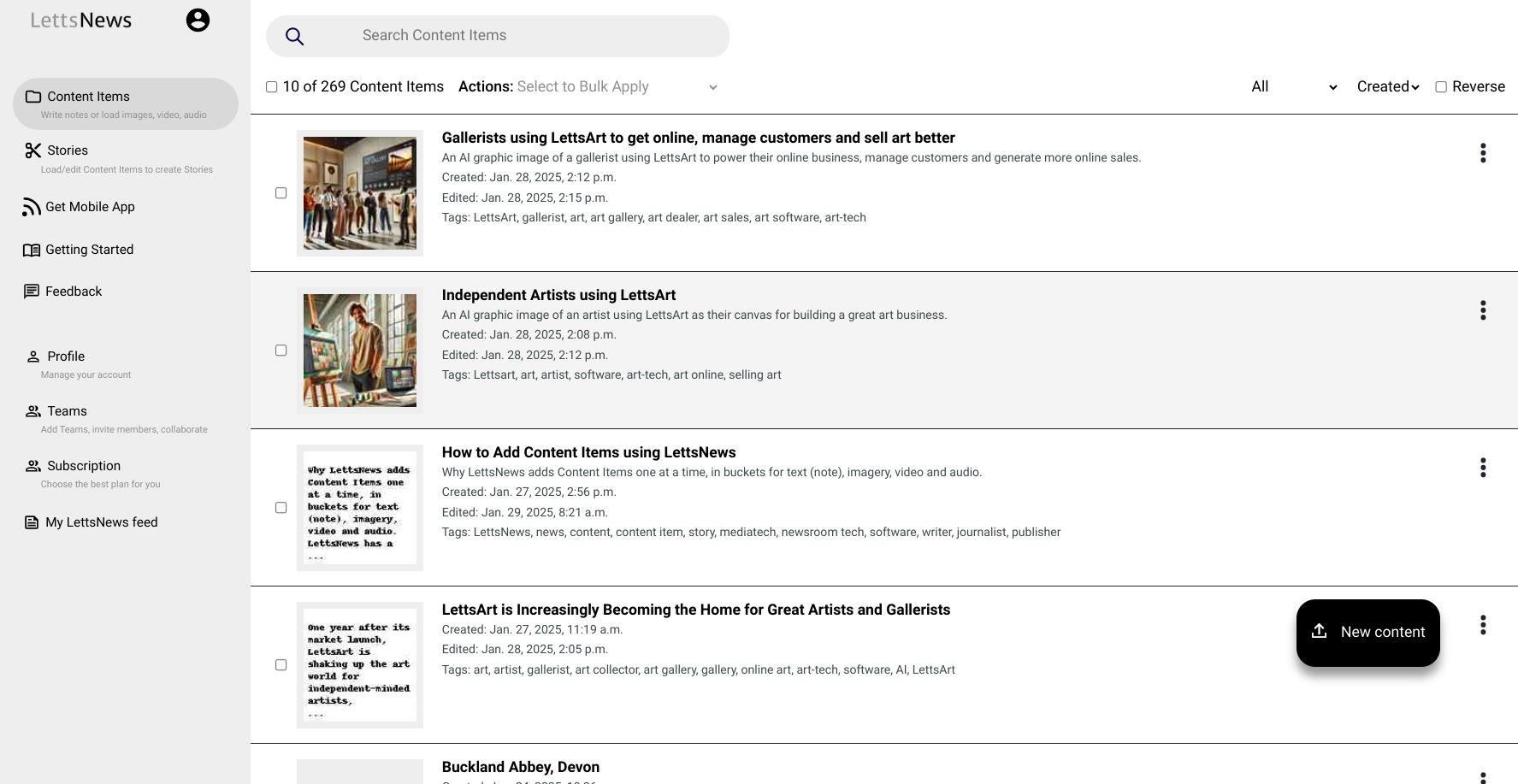
Step 1: Add Content Items
1. Sign in and open your LettsNews dashboard ( remember to bookmark the web app )
2. Click "Content Item" at the top of the left-side menu
3. Choose your content type:
Text (Note)
Image
Video
Audio file
4. Add your content item into the platform
5. Tag and describe your Content Items to easily find and share
6. Repeat and add as many Content Items as needed
LettsNews 1.0 Dashboard Screenshot
Step 2: Build Your Story
Create a new Story
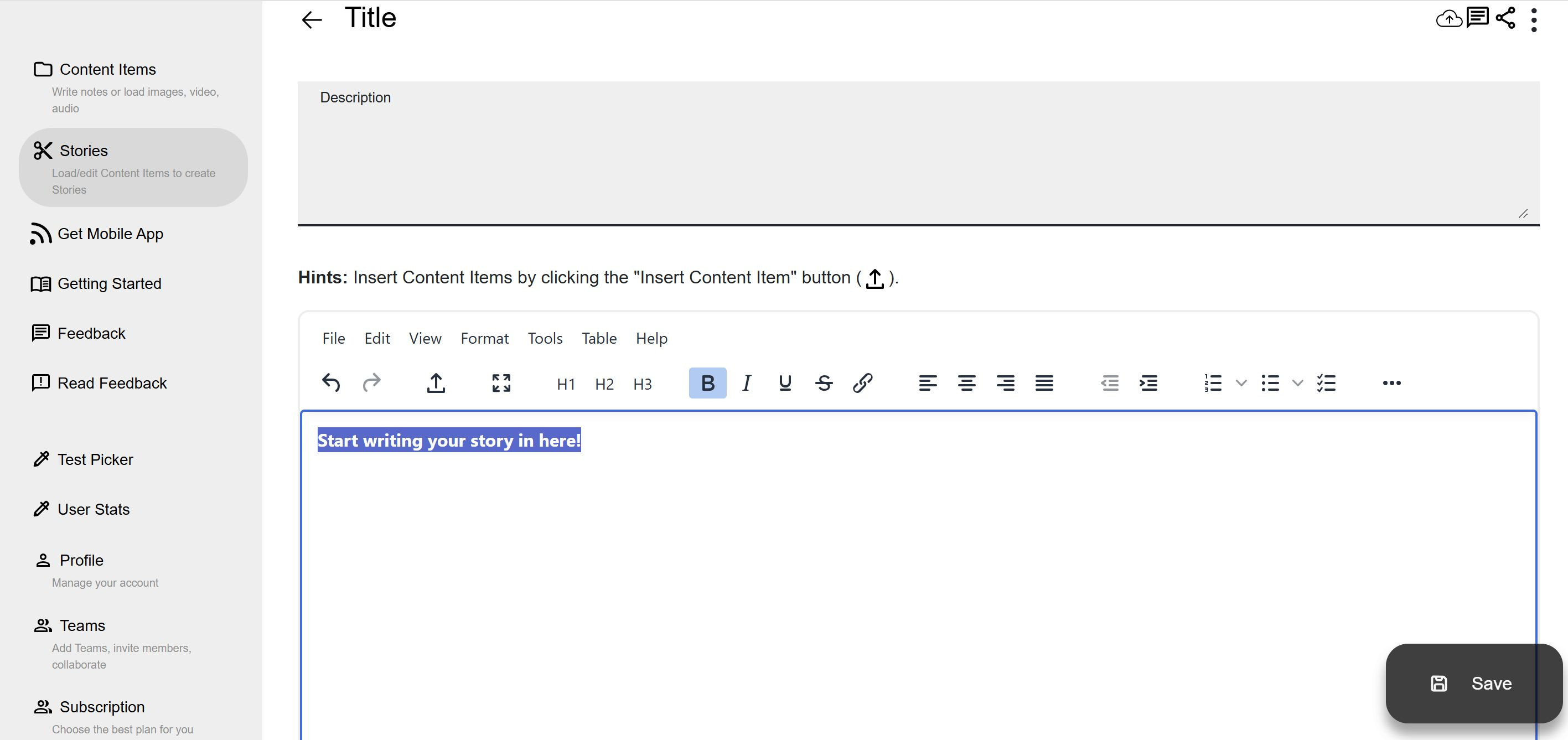
Insert Content Items from your library pop-up into your Story
Arrange Content Items in your preferred order
Add headlines and descriptions that make a real difference
Build your Story in the Story Editor, and use the Insert Content Items button to plug in items you've added
Step 3: Edit and Refine
1. Review your Story
2. Edit text directly in the platform
3. Adjust image sizes as needed
4. Rearrange Content Items by moving content blocks below or above images, videos or audio
5. Review your Story one more time before saving and sharing it with your team
Step 4: Collaborate with Your Team
1. Make sure you have set up a Team in your 'Profile' in the left-side menu, then invite Team members
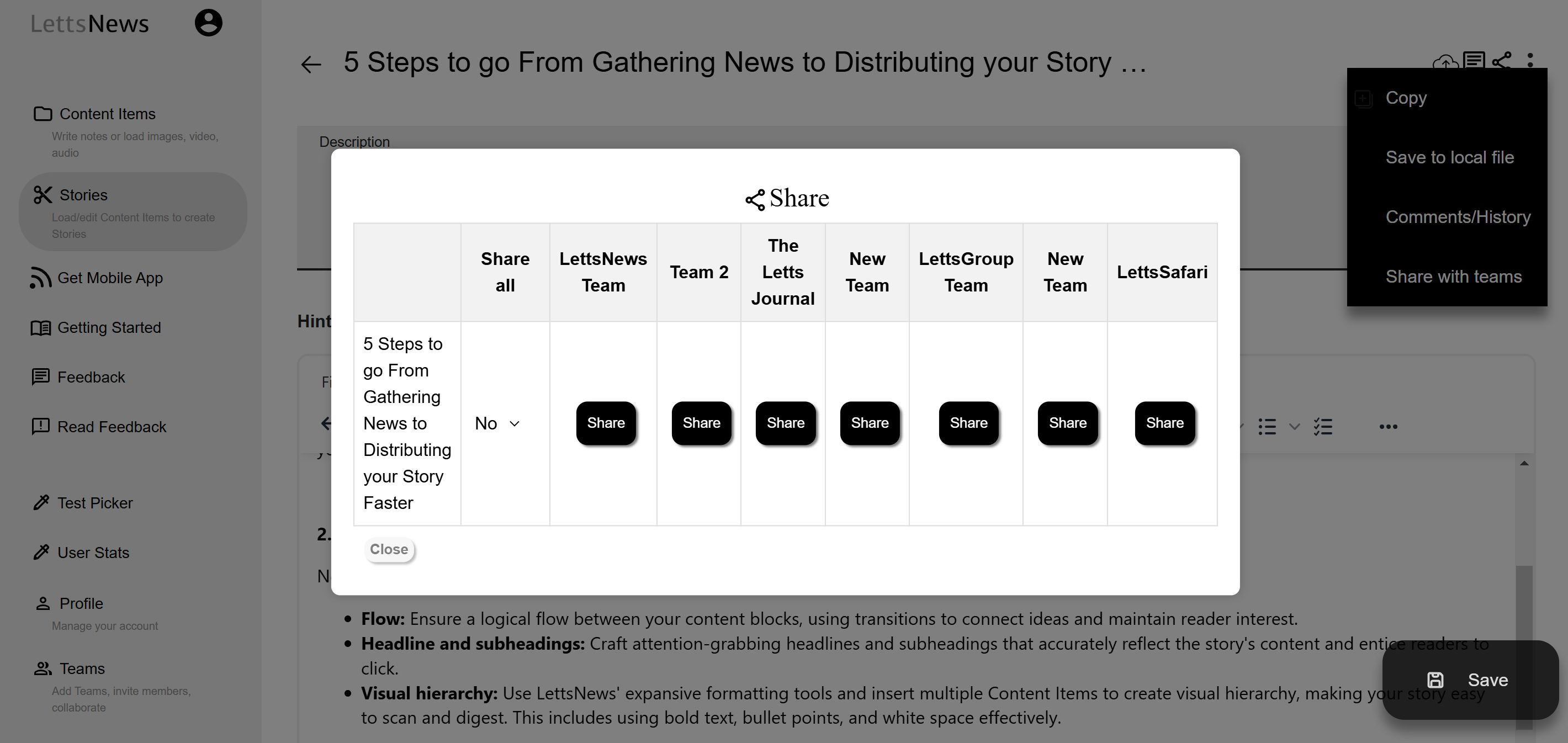
2. In your Story click "Share with Teams" in the 3 dot menu top right to share
3. Team members can:
Make edits
Add comments
Suggest edits
Approve content
4. Review and save changes as needed before publishing
Share your story with your team, and allow team members to collaborate with you easily.
Step 5: Publish and Distribute
Click the "Publish" button when ready ( top right of Story )
Make sure you have set up your distribution channels - do this in your 'Profile' on the left-side menu
Click "Distribute" to automatically share your Story across selected sites like WordPress, Medium, Substack and more
Soon we'll be adding Auto-Promotion of distributed Stories to your Socials.
Tips for Success
Add multiple Content Items before starting a Story
Insert a mix of Content Items into your Story to create a more engaging Story
Remember, any Content Item you add can be reused and inserted into any future Story you write
Have team members review before publishing
Take advantage of auto-distribution to save time
Getting Help
Need assistance? Check out LettsNews.com and read the handy product blogs .
LettsNews is free for independent journalists, content managers, and PRs. Sign up at LettsNews.com to start creating stories in minutes.